PRISMA 2020 · Open source · Free
From literature search
to meta-analysis.
PSRMA brings the main stages of a systematic review into a single workspace. Search, screen, extract and analyze your data without juggling tools.
Free, open source and designed to run locally.
A systematic review, step by step.
From the first search to the synthesis of results, each stage builds on the decisions made before it. You keep a record of your work throughout the process.
- 01
Literature search
Query OpenAlex with your keywords. Narrow results by period, publication type or open access availability.
- 02
Deduplication
Publications found in several searches are automatically merged using their OpenAlex identifier.
- 03
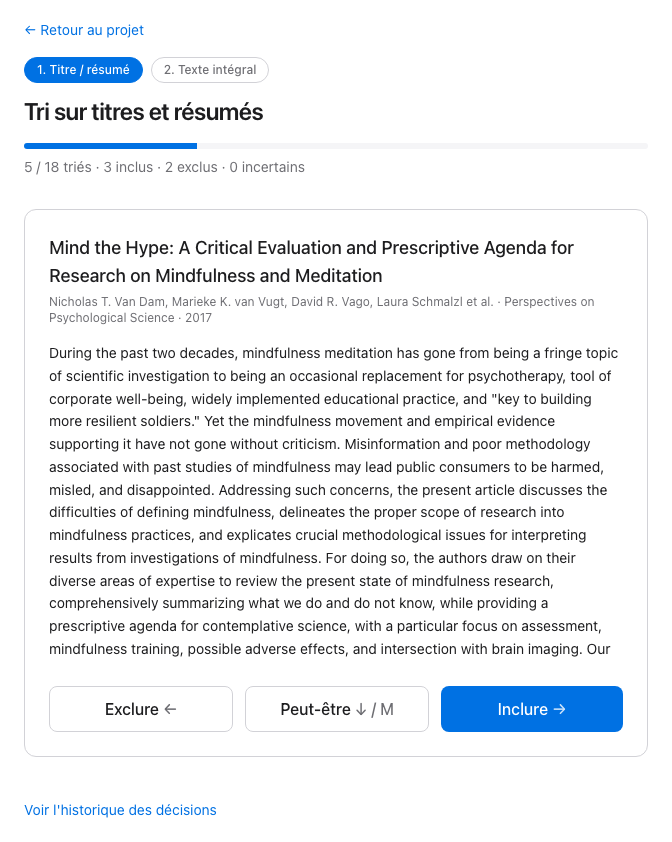
Title and abstract screening
Review records one by one. Mark them as included, excluded or to review, and record exclusion reasons.
- 04
Full-text review
Move on to full-text assessment for the retained publications. Record your decisions and exclusion reasons.
- 05
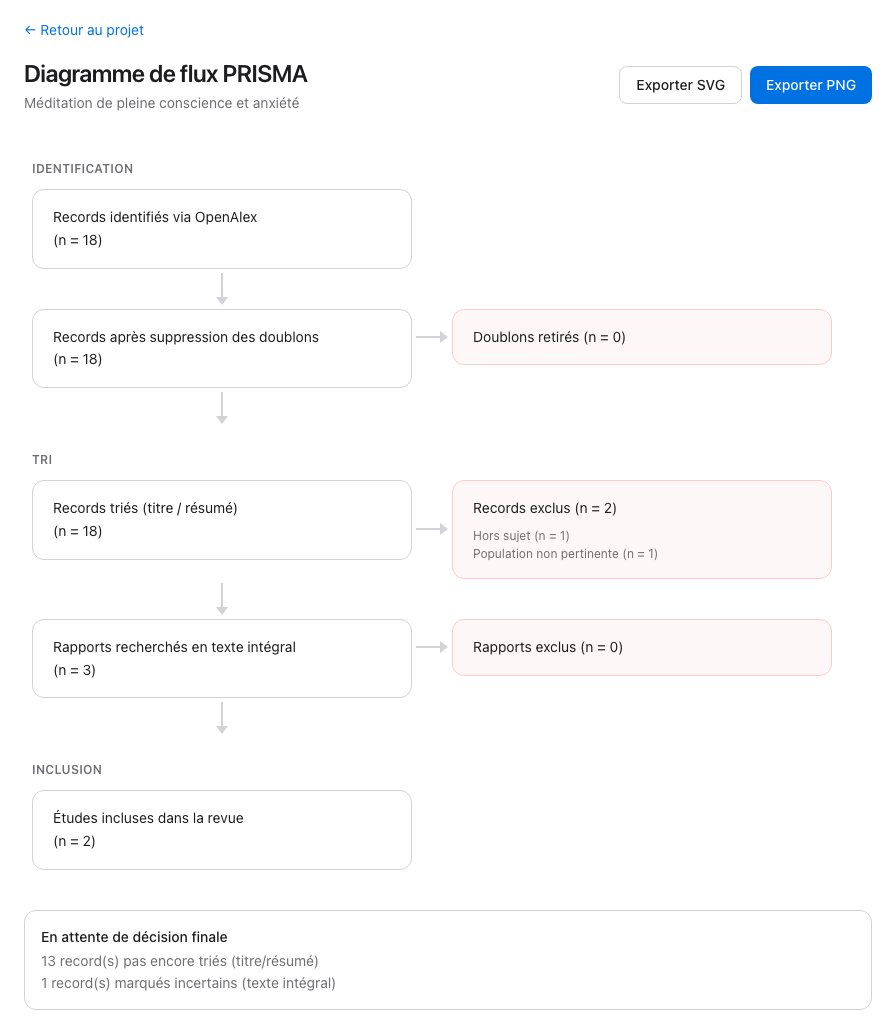
PRISMA diagram
Visualize the selection pathway. The diagram is built from your decisions and can be exported as PNG or SVG.
- 06
Data extraction
Define the information to collect for each study and gather it in an editable table.
- 07
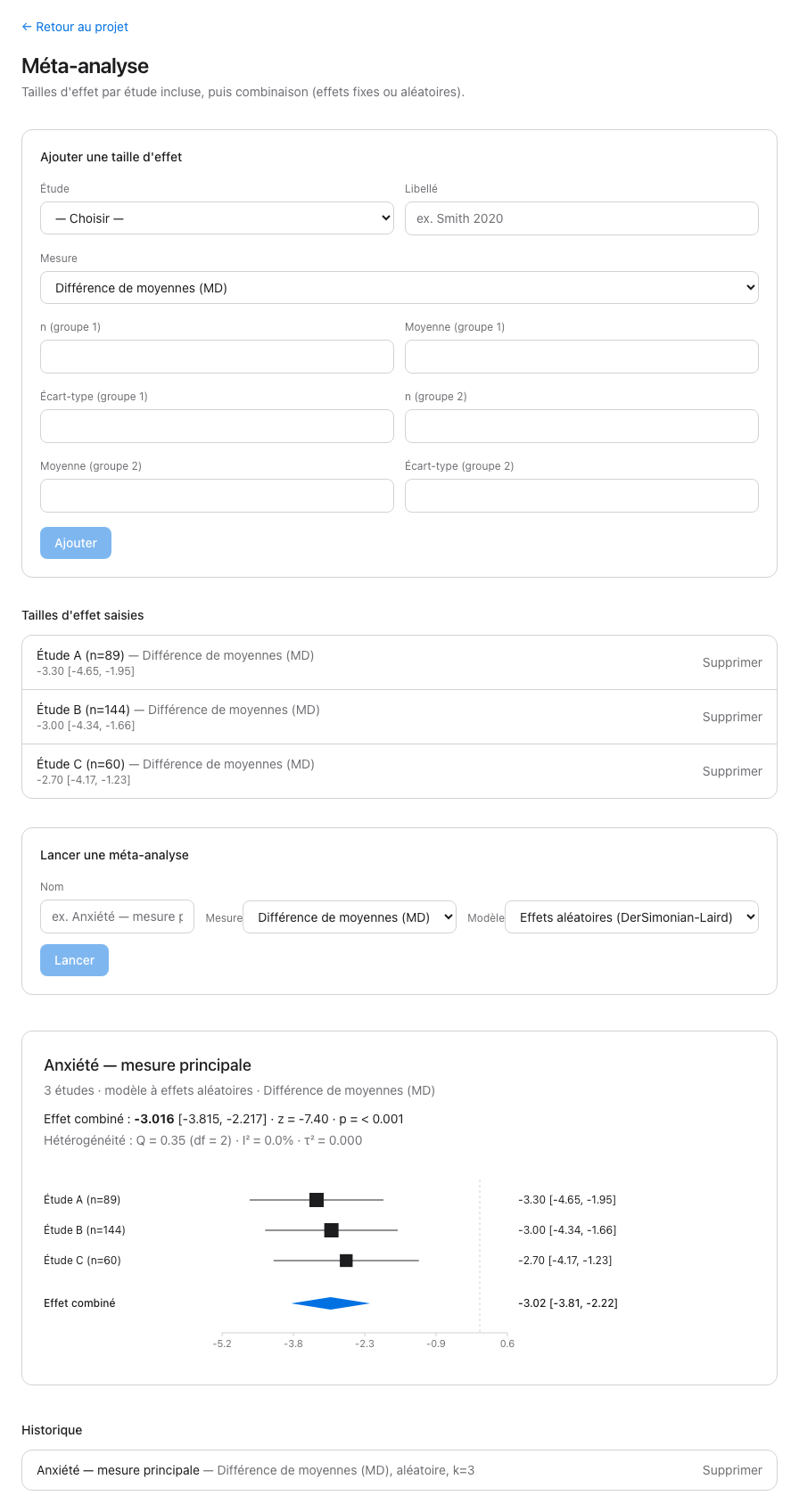
Meta-analysis
Compute effect sizes and pool results with a fixed- or random-effects model. Review the forest plot and heterogeneity indicators.
- 08
Export
Get your data as CSV, a Markdown report generated from the project, and a worksheet for the PRISMA 2020 checklist.
A workspace with no clutter.
The interface sticks to the essentials: records, screening decisions, extracted data and analysis results. No need to switch between programs to follow the progress of your review.
Your research stays on your machine.
PSRMA is designed for individual use, from your own computer. You stay in control of your projects and your database.
Runs locally
Projects and their data are stored in a SQLite database on your machine. No remote server needed.
No account to create
No sign-up, no mandatory login and no subscription. Install the tool and start working.
Open source
The code is available on GitHub. You can inspect how it works, check the calculations and adapt the tool to your needs.
A clearly defined scope
Literature search relies on OpenAlex. Screening decisions and the interpretation of results remain in your hands.
Your workspace, in a few commands.
Run PSRMA with Docker, or install the Python backend and the web interface separately. Pick the method that suits your environment.
$ git clone https://github.com/vidjinnangni/psrma.git
$ cd psrma
$ docker compose up
Then open the application in your browser at http://localhost:5173.